
How to restore the factory default port settings on the RTU608BT

Quote from GeoAstra Official on February 6, 2026, 12:41 am
Open u-center
Launch the u-center software.
- Open Message View
In the u-center menu, go to View → Message View. This will open the Message View window.
3. Configure port settings
In the Message View window, navigate to UBX → CFG → PRT.
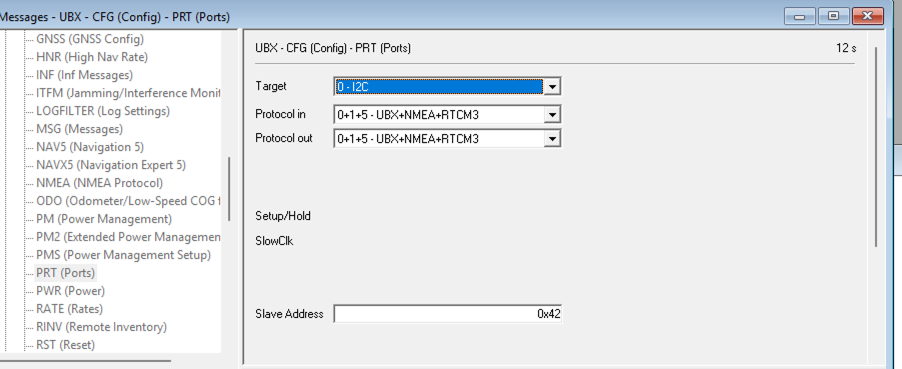
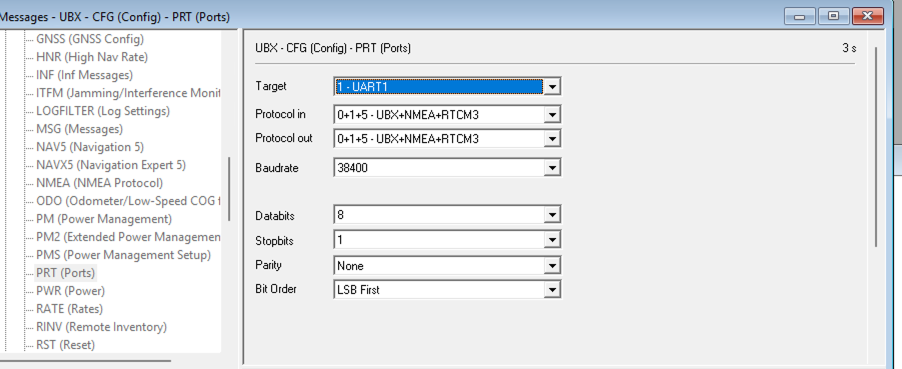
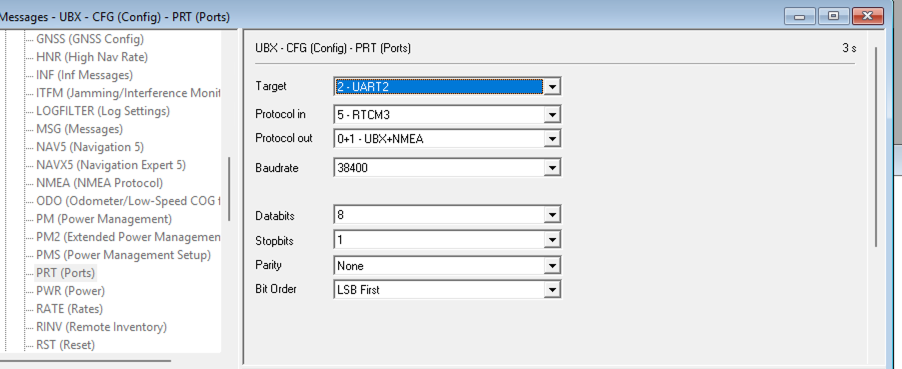
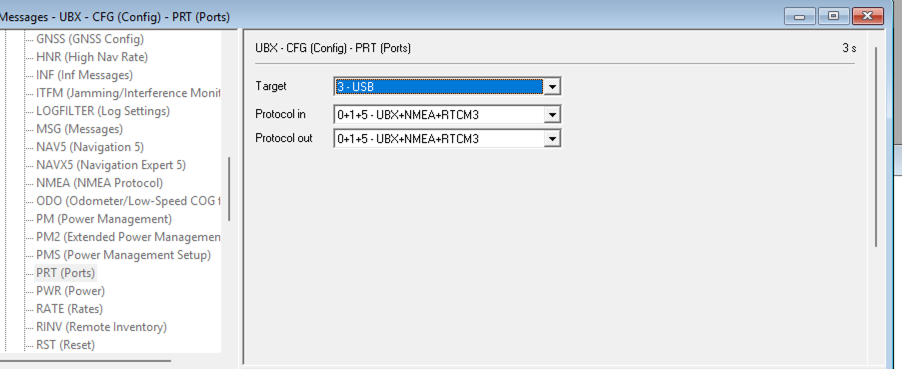
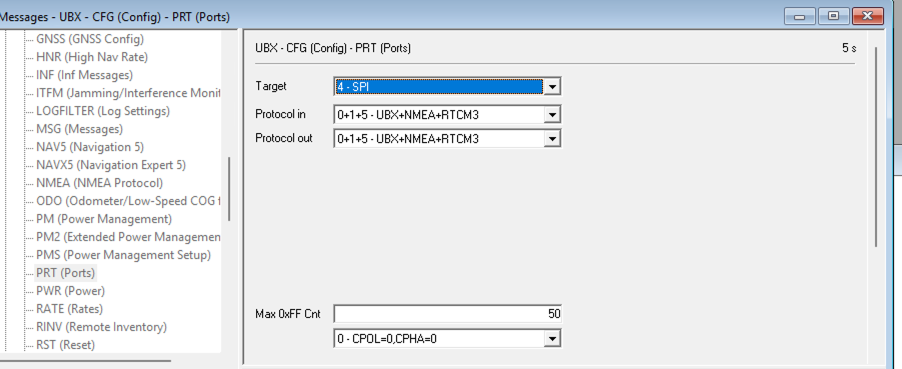
On the right-hand panel, select each target below one by one and configure it according to the screenshots provided:
0 – I2C
1 – UART1
2 – UART2
3 – USB
4 – SPI
Apply settings
After adjusting the settings for each target, click the Send button twice to apply the changes.
Note: In u-center, you must press the Send button twice each time to apply the settings on the current screen.
4. Save the configuration permanently (Important)
This step is critical to ensure all configuration changes are saved to the device.
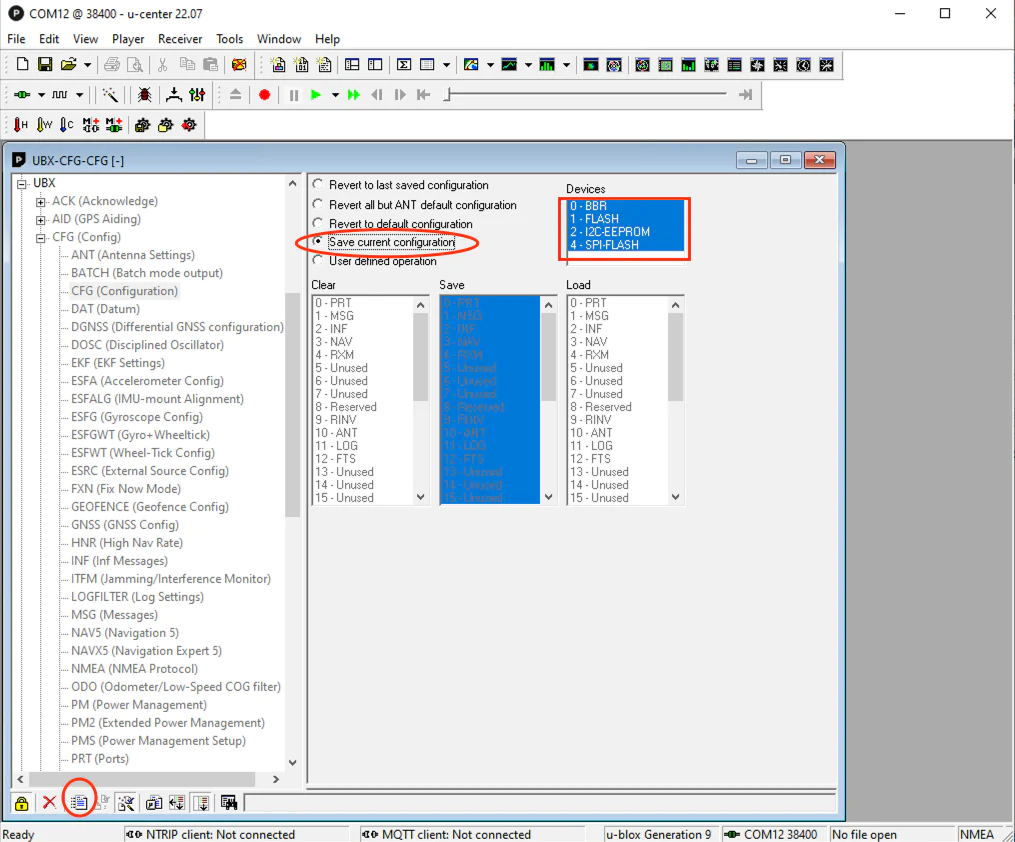
In the Message View window, go to UBX → CFG → CFG.
On the right-hand panel, select Save current configuration.
Make sure all Devices are checked/highlighted.
Click the Send button twice to save the configuration permanently.
-
Open u-center
Launch the u-center software.
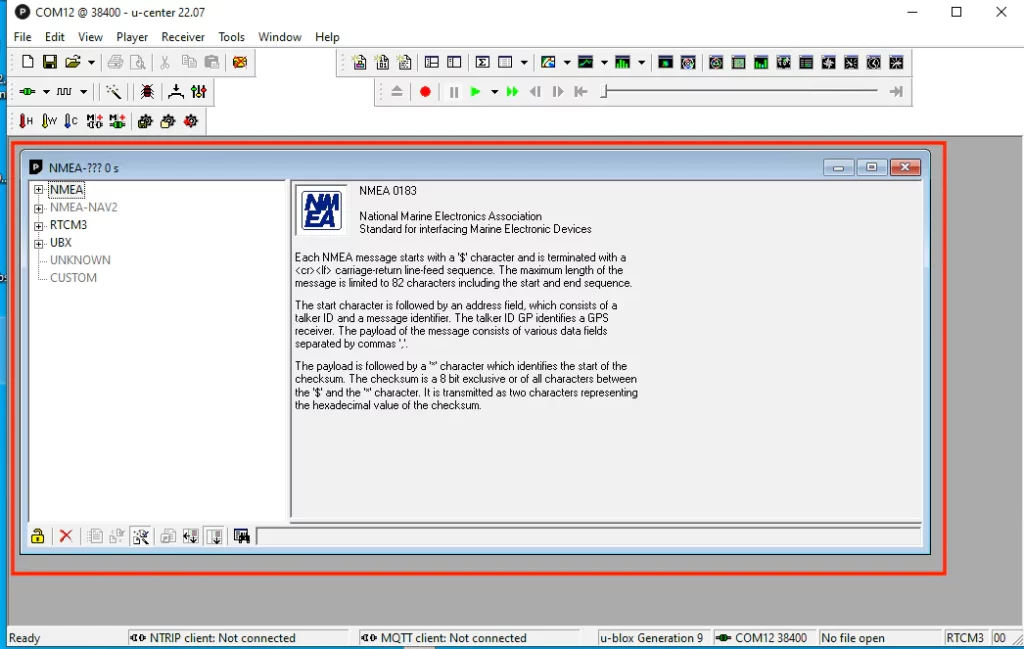
- Open Message View
In the u-center menu, go to View → Message View. This will open the Message View window.
3. Configure port settings
In the Message View window, navigate to UBX → CFG → PRT.
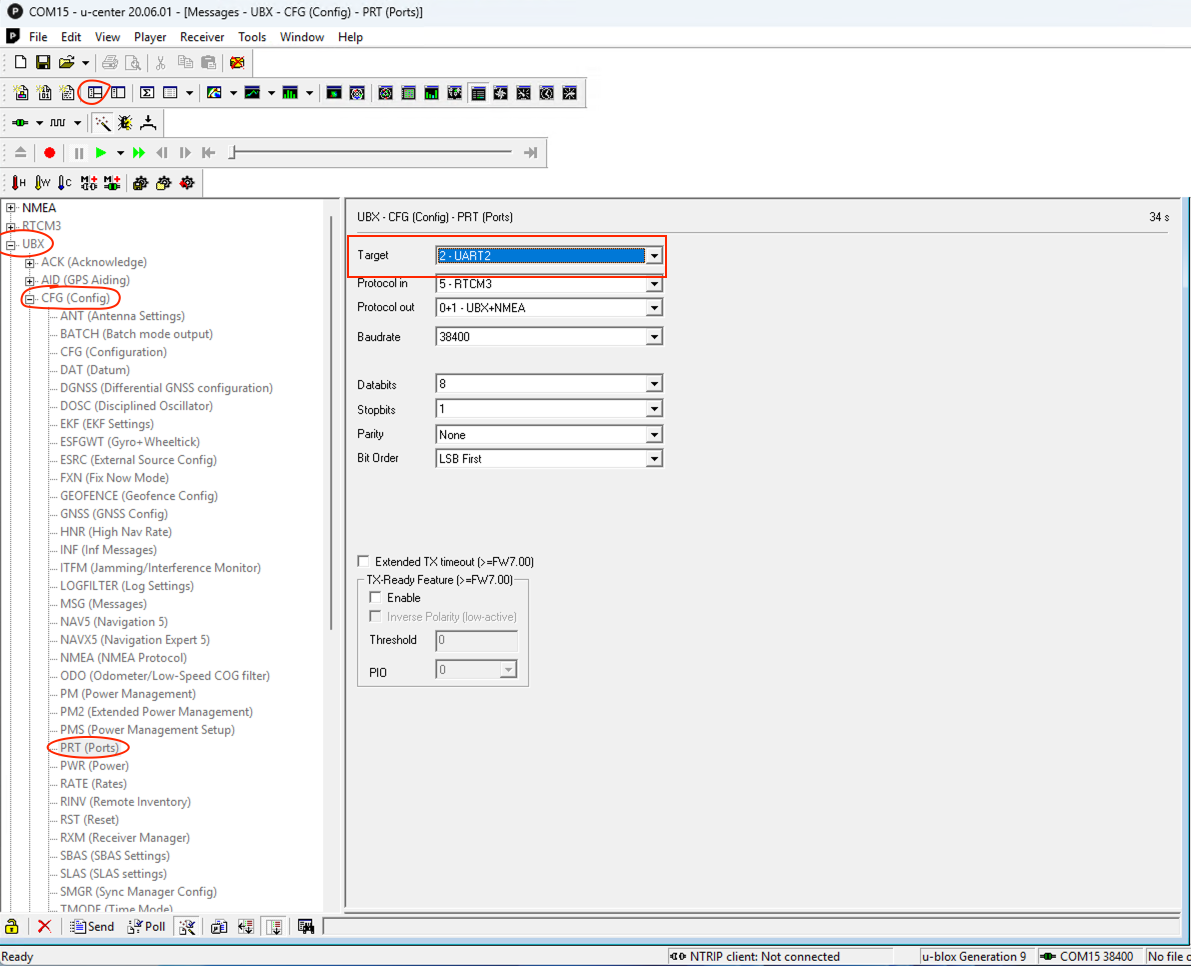
On the right-hand panel, select each target below one by one and configure it according to the screenshots provided:
-
-
0 – I2C
-
1 – UART1
-
2 – UART2
-
3 – USB
-
4 – SPI
-
Apply settings
After adjusting the settings for each target, click the Send button twice to apply the changes.
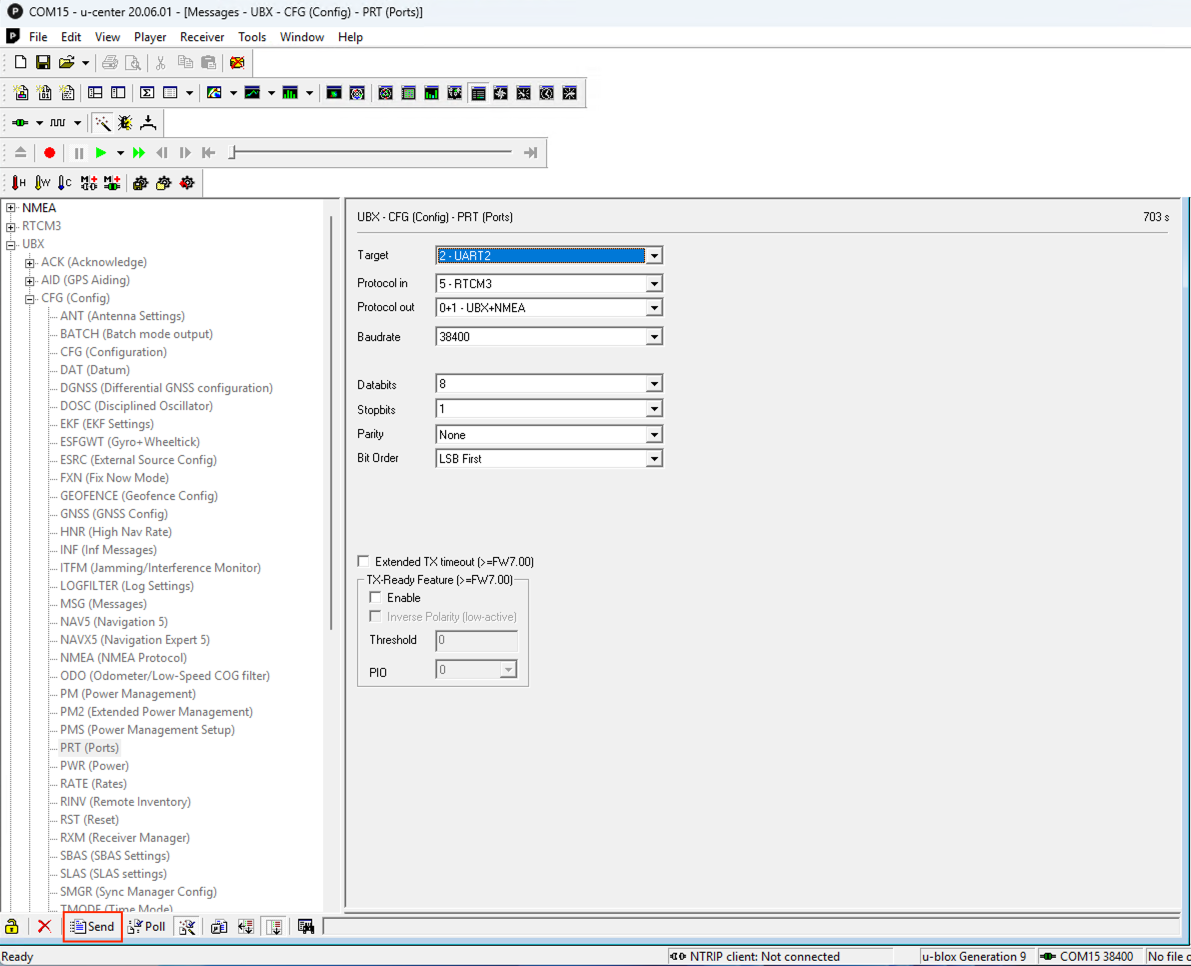
Note: In u-center, you must press the Send button twice each time to apply the settings on the current screen.
4. Save the configuration permanently (Important)
This step is critical to ensure all configuration changes are saved to the device.
In the Message View window, go to UBX → CFG → CFG.
On the right-hand panel, select Save current configuration.
Make sure all Devices are checked/highlighted.
Click the Send button twice to save the configuration permanently.